QueryDuck - SQL Notebooks for Your Mac
Analyze local files, query remote databases, and visualize results - all in a beautiful notebook interface. Powered by DuckDB, built for macOS.
Data Analysis Shouldn't Be This Hard
Spreadsheets are limiting. Python notebooks are overkill. Command-line tools are clunky. You just want to query your data and get answers.
Scattered Data
Your CSV files, Parquet files, and databases are everywhere. No single tool queries them all with the same ease.
Setup Overhead
Installing Python, Jupyter, pandas, and connectors just to look at a CSV file? There has to be a better way.
Lost Context
Your analysis is spread across terminals, notebooks, and notes. Documenting and sharing insights is painful.
Everything You Need for Data Analysis
Built with Swift for a truly native macOS experience. Fast, beautiful, and powerful.
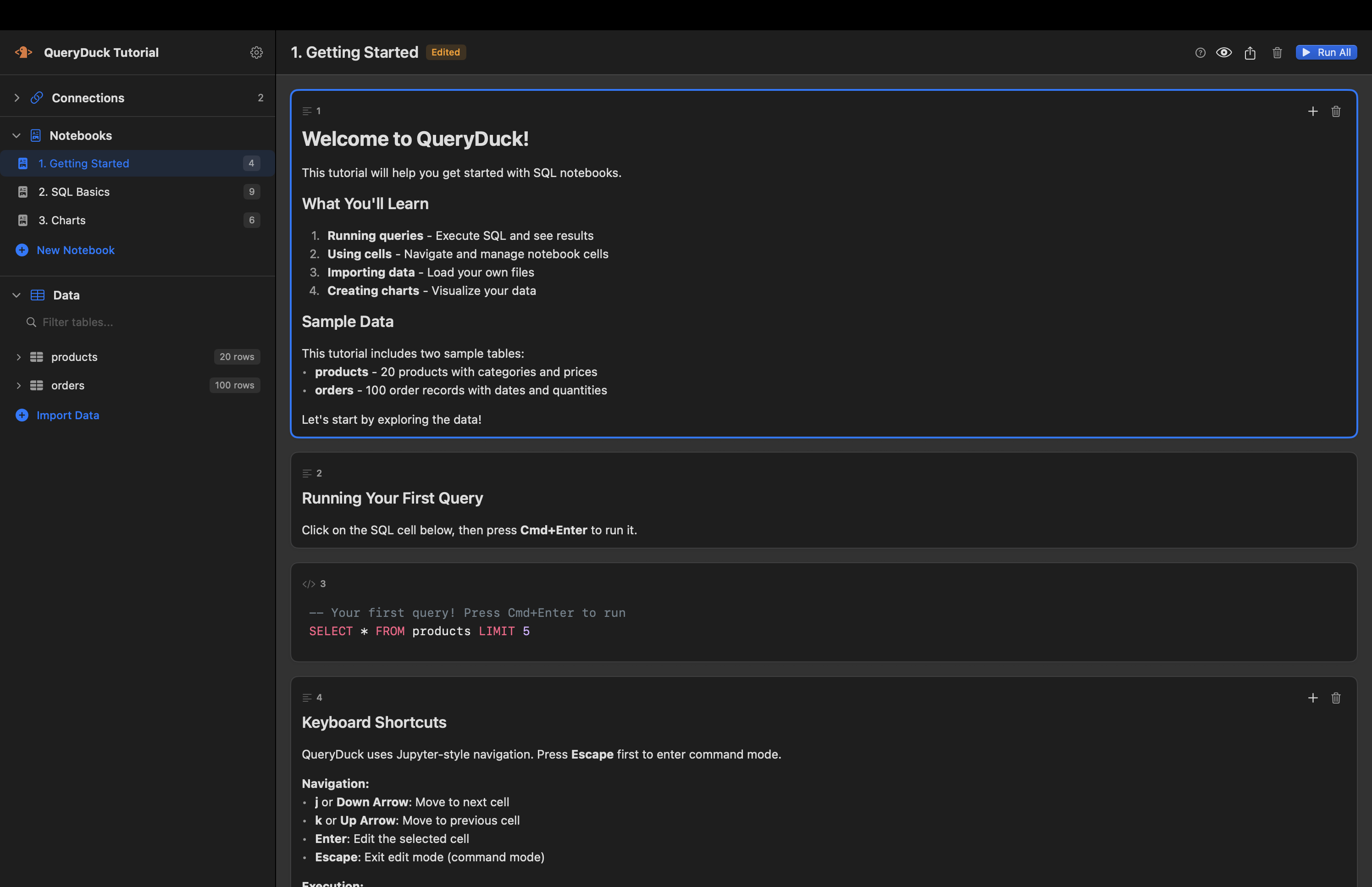
SQL Notebooks
Write SQL queries in cells, add markdown documentation, and see results instantly. Jupyter-style navigation with vim-inspired shortcuts.
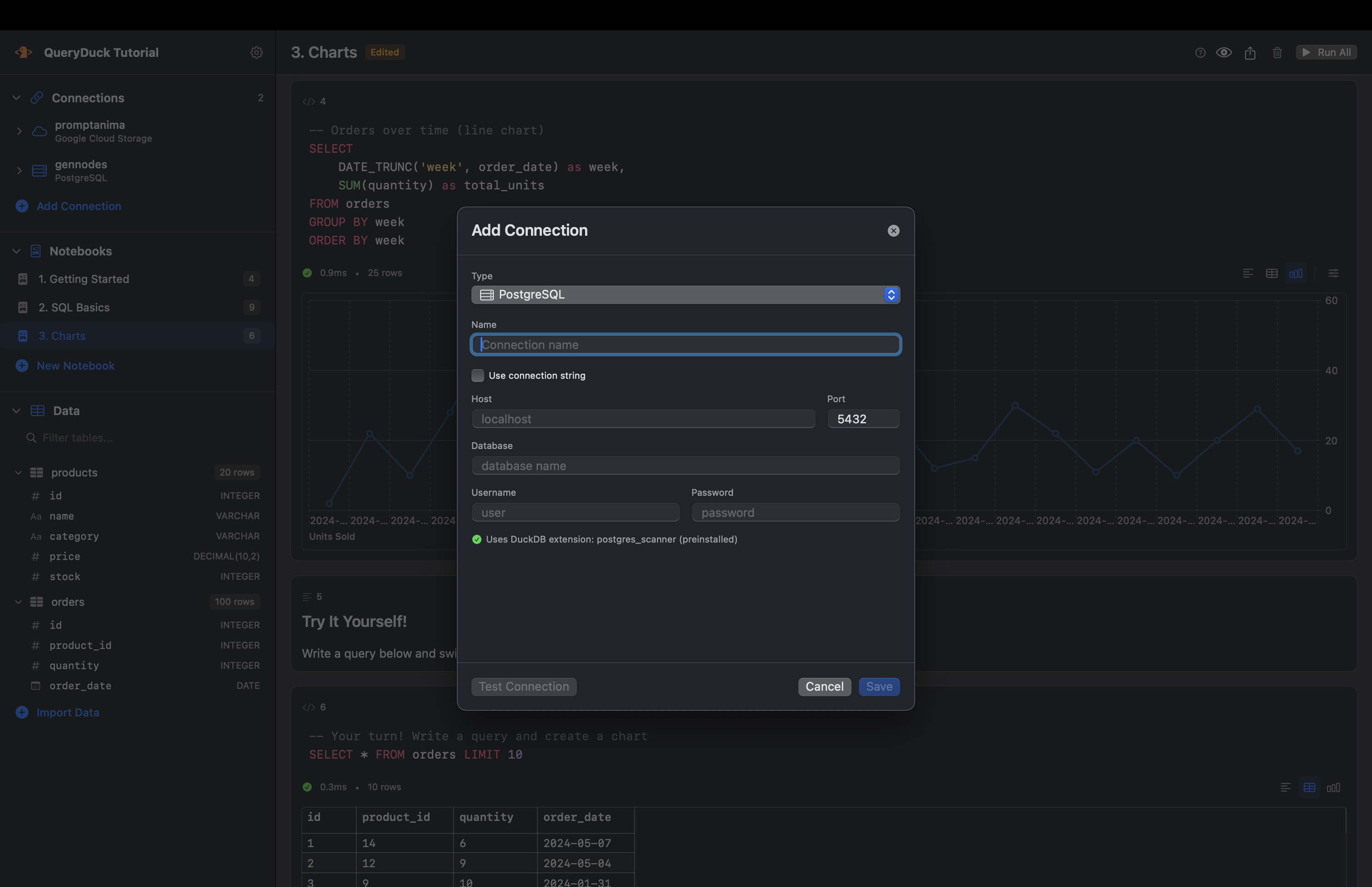
Query Any Data Source
Import CSV, Parquet, JSON files. Connect to PostgreSQL, MySQL databases. Access Google Cloud Storage and S3. All with familiar SQL.
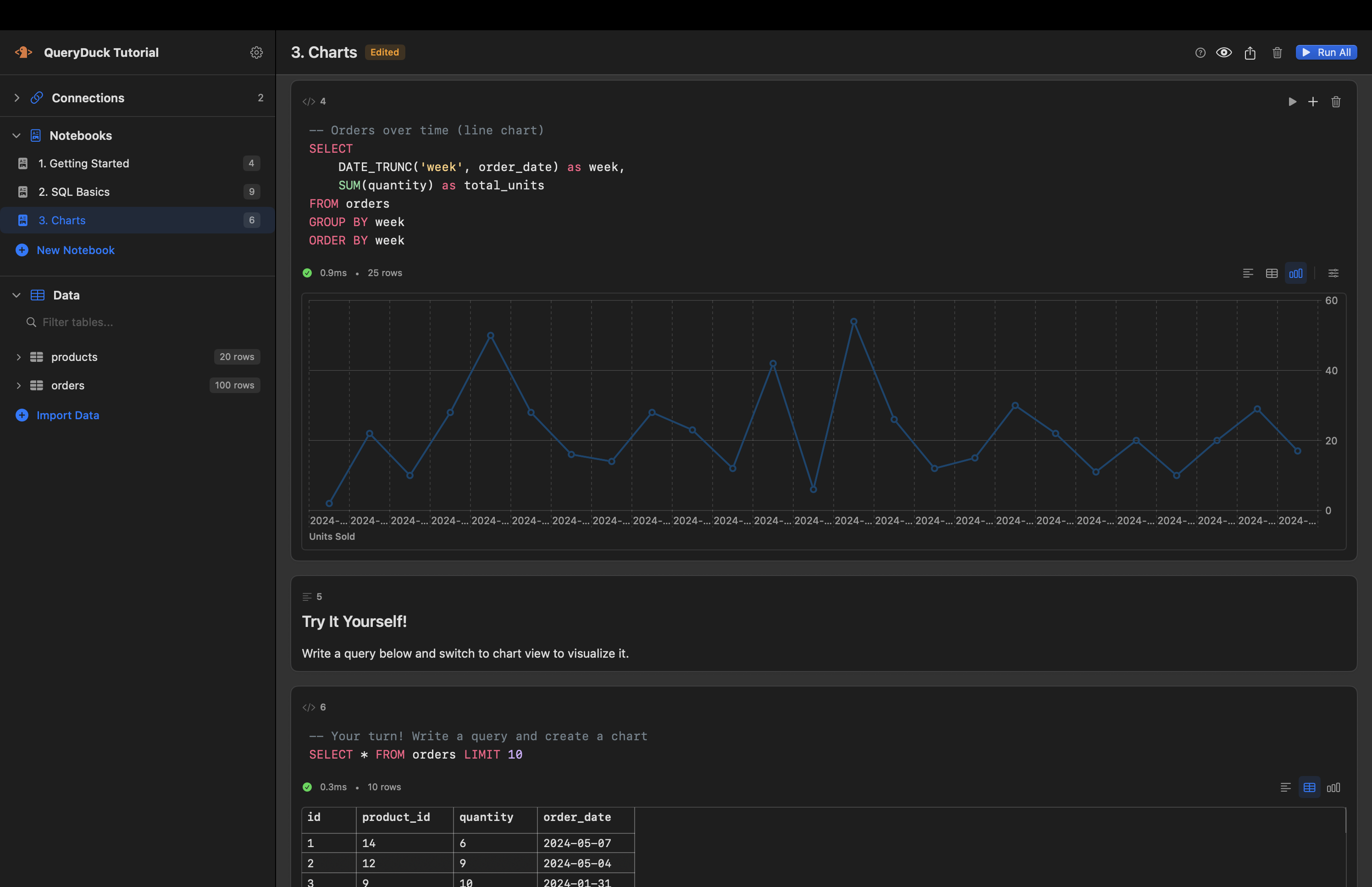
Beautiful Charts
Turn query results into line charts, bar charts, scatter plots, and more. Smart auto-detection suggests the best visualization for your data.
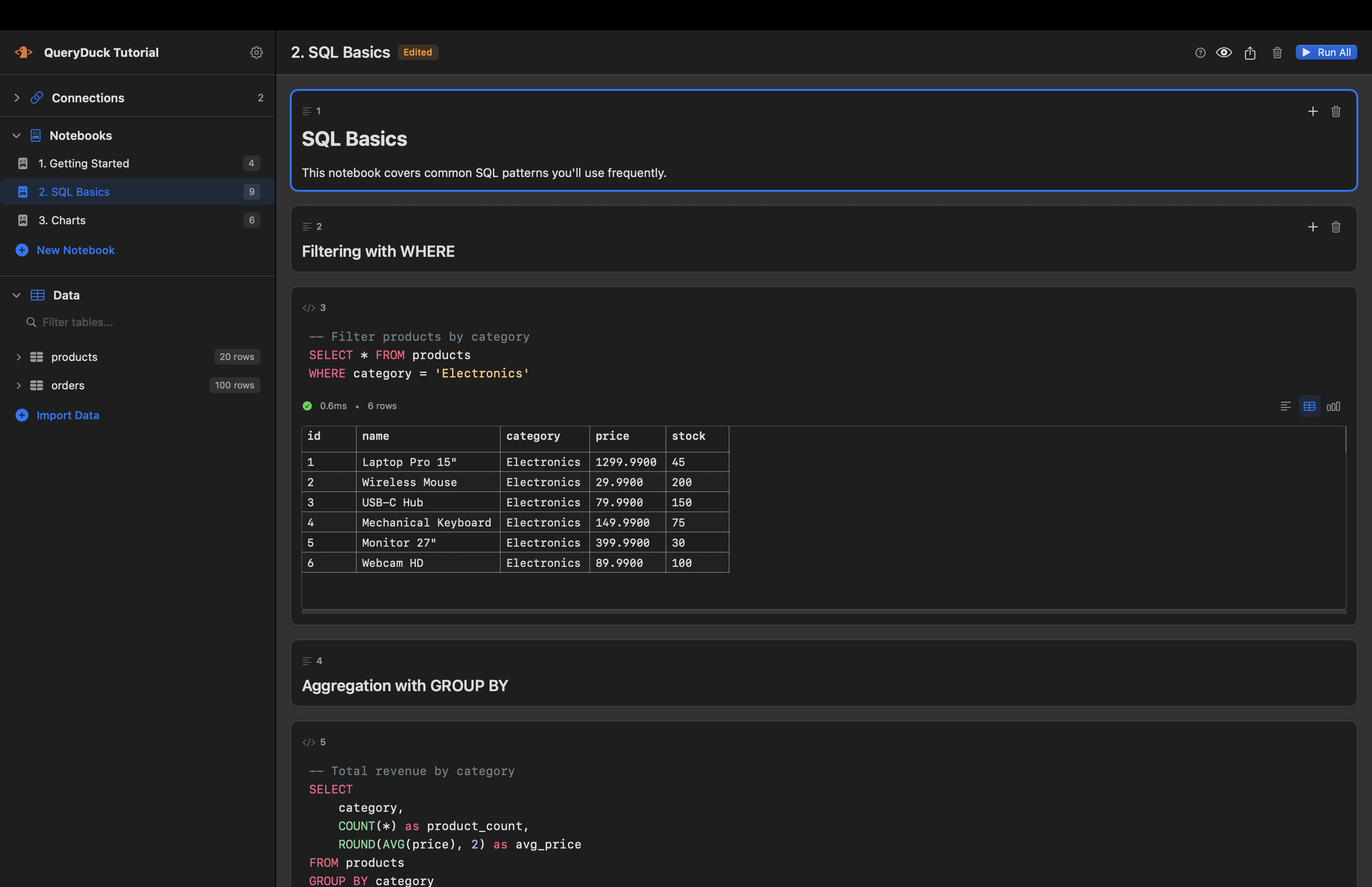
Interactive Results
Sort columns, resize tables, copy cells, and export to CSV. Results feel like a proper spreadsheet, not a terminal dump.
Why Data Analysts Love QueryDuck
Built for people who think in SQL, not in Python.
Powered by DuckDB
The fastest embedded analytics database. Query billions of rows on your laptop. No server required.
Native macOS App
Built with Swift and SwiftUI. Feels like part of your Mac. Uses minimal resources.
Jupyter-Style Workflow
Familiar cell-based notebooks. Mix SQL queries with markdown documentation. Share your analysis as HTML.
Everything Local
Your data stays on your Mac. Projects are simple files you can version control and share.
From Data to Insights in Minutes
Create a Project
Start a new project and import your data files, or connect to a remote database.
Write SQL
Query your data using standard SQL. DuckDB handles everything from CSV to PostgreSQL.
Visualize & Share
Create charts, document your findings, and export polished reports.
Ready to Query Your Data?
Download QueryDuck and start analyzing data in minutes. Free tier available, Pro unlocks all features.
Download QueryDuck(Compatible with macOS 14.0 Sonoma and later)