ProcessGenie — Find What's Slowing Down Your Mac
A native real-time process monitor that shows you exactly what's eating your CPU and memory. Diagnose, analyze, and take control — all from one beautiful macOS app.
Your Mac Shouldn't Feel Slow
Something is hogging your resources — but finding it shouldn't require a computer science degree.
Activity Monitor Is Overwhelming
Dozens of columns, hundreds of processes, and no clear answer about what's actually causing the slowdown.
Diagnosis Takes Too Long
By the time you find the culprit, your workflow is already disrupted and the moment has passed.
No Way to Act on It
Even when you find the problem, terminating or analyzing a process requires jumping between multiple tools.
Everything You Need to Diagnose Performance
Six professional tools in one native macOS app. Fast, focused, and built for real work.
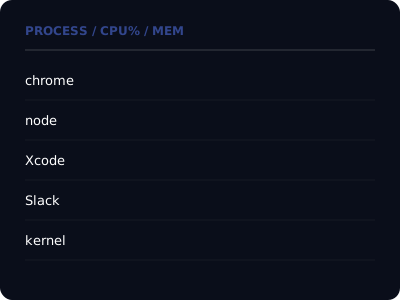
Live Process Table
See every running process with real-time CPU and memory usage, PID, and user. Color-coded meters make it obvious at a glance which processes are consuming the most resources. Sort by any column to find the culprit instantly.
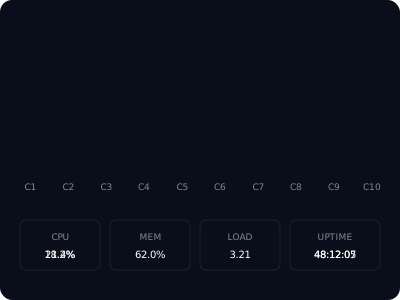
Per-Core CPU & System Dashboard
Track each CPU core individually with color-coded usage bars. Monitor total CPU percentage, memory pressure, load averages, and system uptime — all updating in real time on summary cards at the top of the window.

Instant Search & Filter
Find any process by name, PID, or user with instant search. Press / to focus the search field, and watch the list filter in real time. The process count updates live so you always know how many matches you have.

Deep Process Analysis
Select any process to open the focus panel. Track its CPU and memory history with live sparkline charts that update every sample. See detailed metrics and trends over time — perfect for identifying intermittent resource spikes.
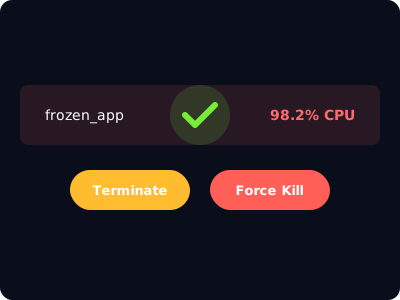
One-Click Process Control
Terminate any process with a safe SIGTERM, or force-kill frozen apps with SIGKILL. Confirmation dialogs explain exactly what will happen before you act. Copy PID to clipboard for manual troubleshooting when you need it.

CSV Data Export
Export any focused process's historical CPU and memory data to CSV. Auto-named files with PID and process name, or copy directly to clipboard. Perfect for performance reports, bug investigations, or sharing diagnostics with your team.
Why Mac Users Choose ProcessGenie
Built to do one thing exceptionally well.
Answers in Seconds
Open ProcessGenie and immediately see what's consuming your resources. No configuration, no learning curve.
Native & Lightweight
Built with SwiftUI for macOS. Uses minimal resources itself — won't slow down the Mac you're trying to diagnose.
Keyboard-Driven
Full keyboard navigation with vim-style j/k keys, / for search, Enter to focus. Power users never need to reach for the mouse.
One-Time Purchase
Core monitoring is free. Unlock Pro features with a single purchase — no subscriptions, no recurring fees.
Get Started in Seconds
Install from the App Store
Download ProcessGenie and open it. All running processes appear immediately.
Find the Culprit
Sort by CPU or memory, search by name, and identify the process causing the slowdown.
Analyze & Act
Deep dive into the process history, then terminate it or export data — all from one place.
Ready to Take Control of Your Mac?
Download ProcessGenie free. Unlock Pro features with a one-time purchase.
Download ProcessGenie(Compatible with macOS 14.0 Sonoma and later)